Guide photo iPhone en français et en anglais
Pages du guide en français
Avant/après de photos iPhone retouchées avec les recettes du guide
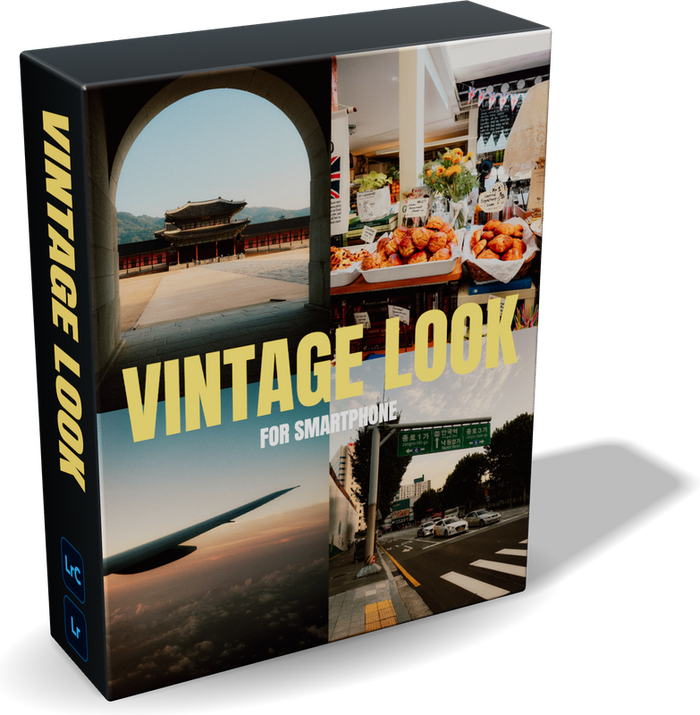
Bonus : le preset Vintage offert avec le guide

iPhone Photo Guide + free Vintage preset

通常価格€19,90
/

言語

38 pages to finally take beautiful photos with the phone that's already in your pocket. From settings to editing, everything I do with my iPhone photos, explained simply, with my real photos.

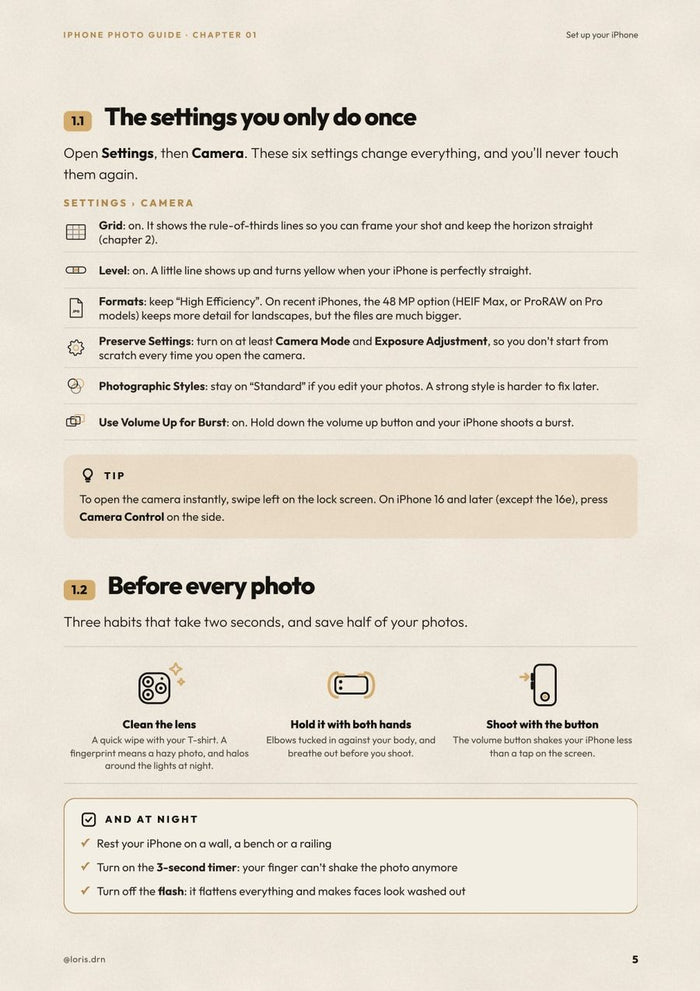
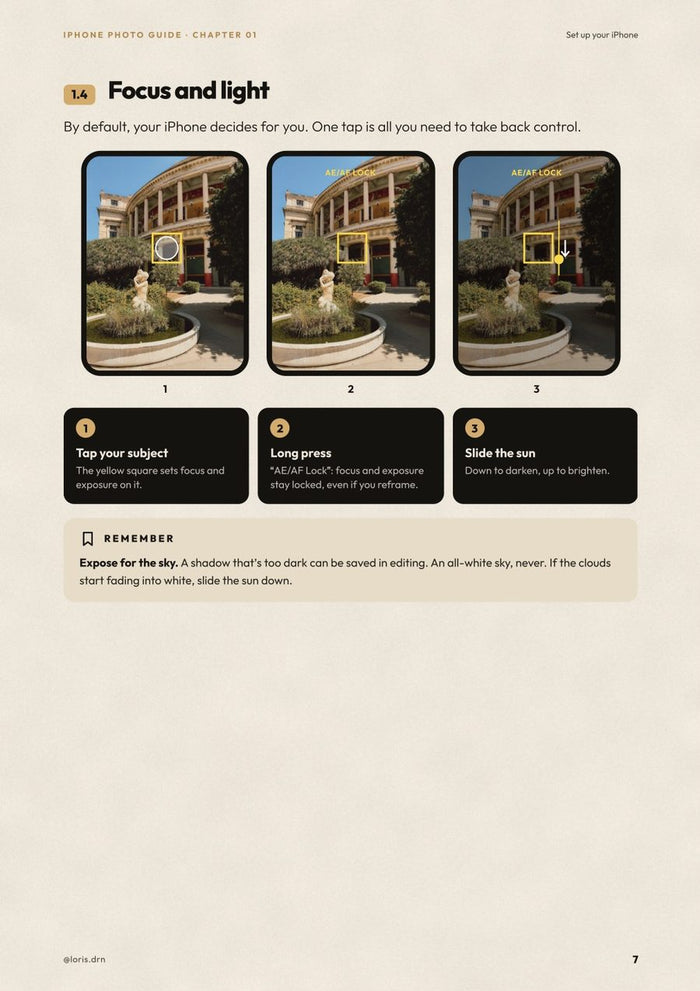
  • Set up your iPhone: the 6 settings to turn on once and for all, the right lens (0.5×, 1×, 2×…), focus, exposure, and Portrait, Night, Live Photo and Macro modes.
  • Compose your photos: the rule of thirds, leading lines, symmetry, changing your height, telling a place in three photos.
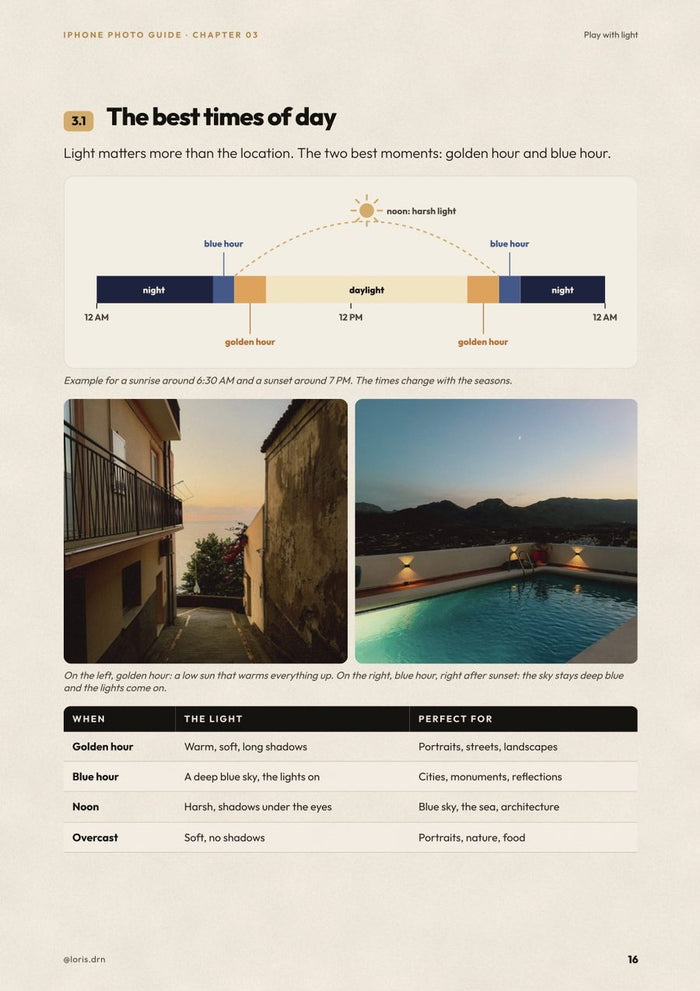
  • Play with light: golden hour, blue hour, harsh sun, night, indoors, portraits and gray skies.
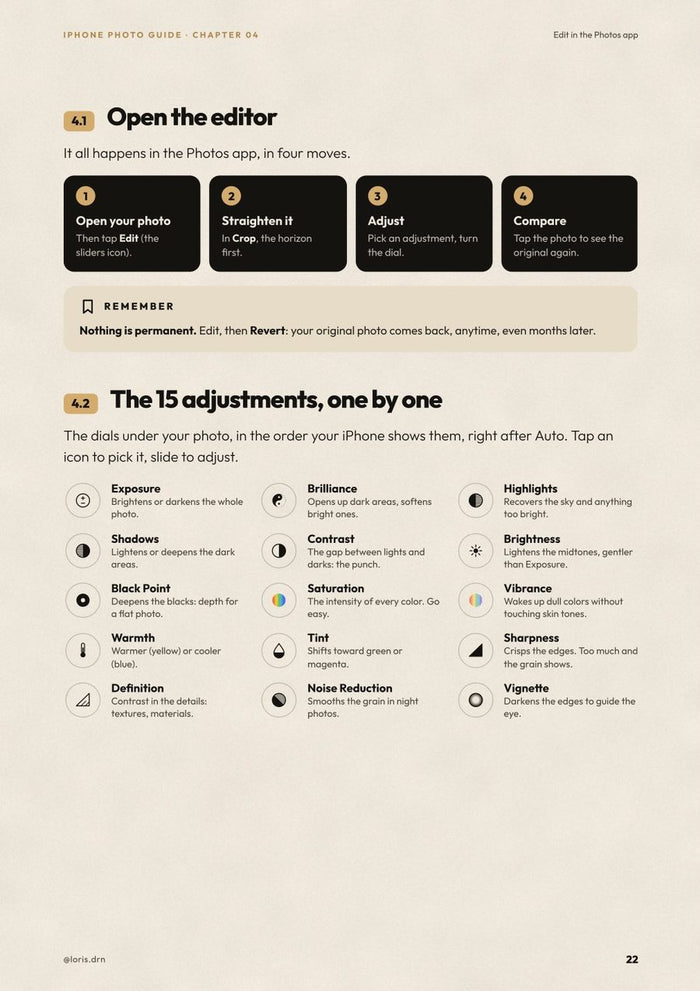
  • Edit in the Photos app: all 15 adjustments explained one by one, the order to follow, and how to copy your edit to a whole series.
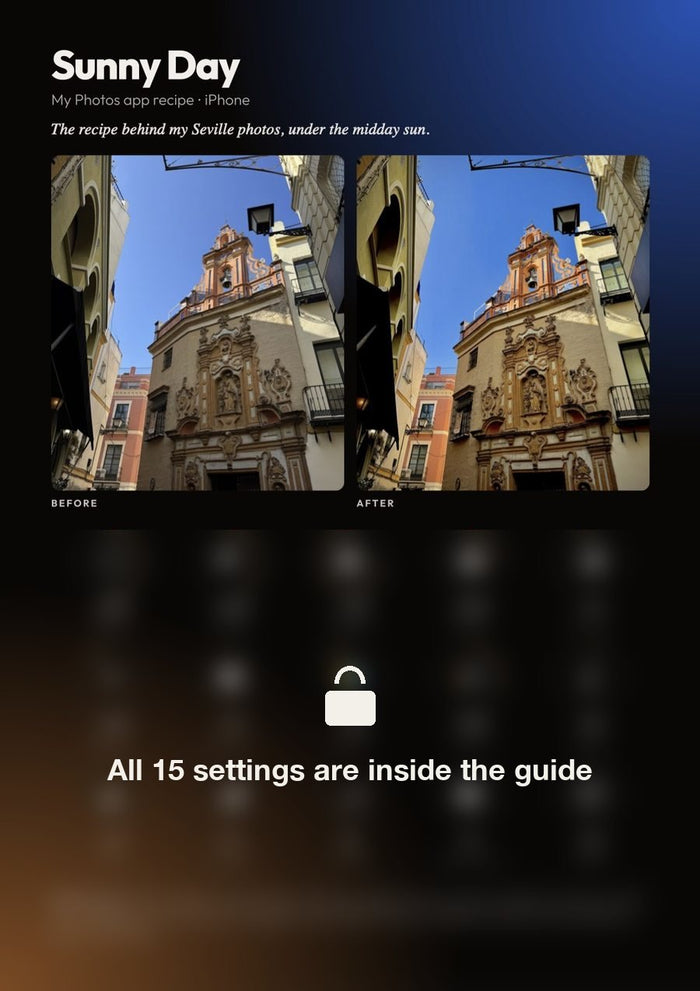
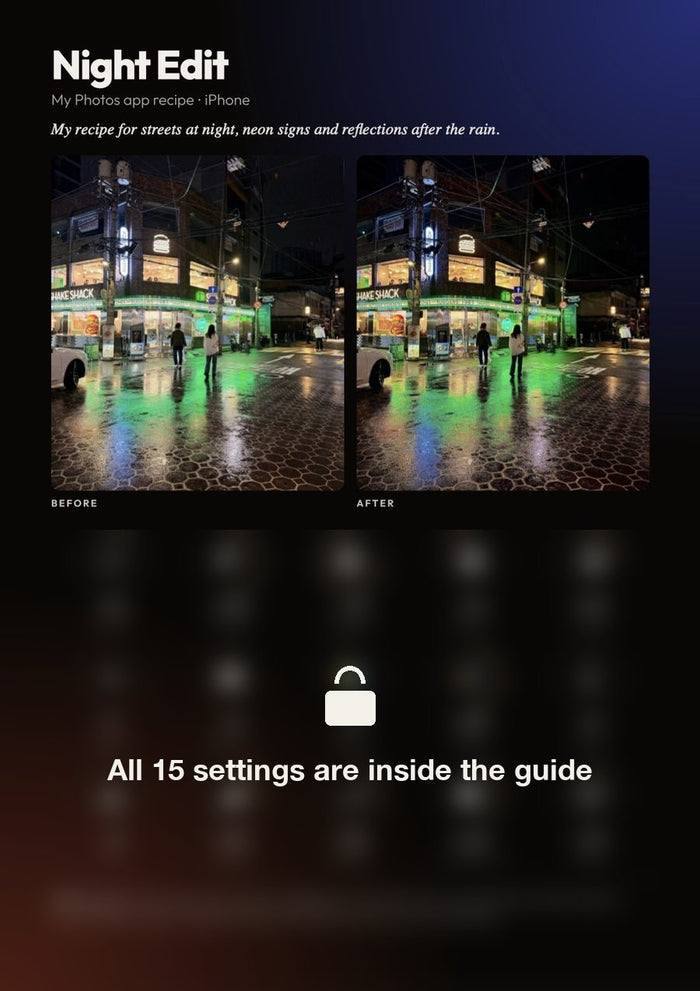
  • My 3 editing recipe cards: my exact recipes (sunny, harsh sun, night), dial by dial, with the before/after.
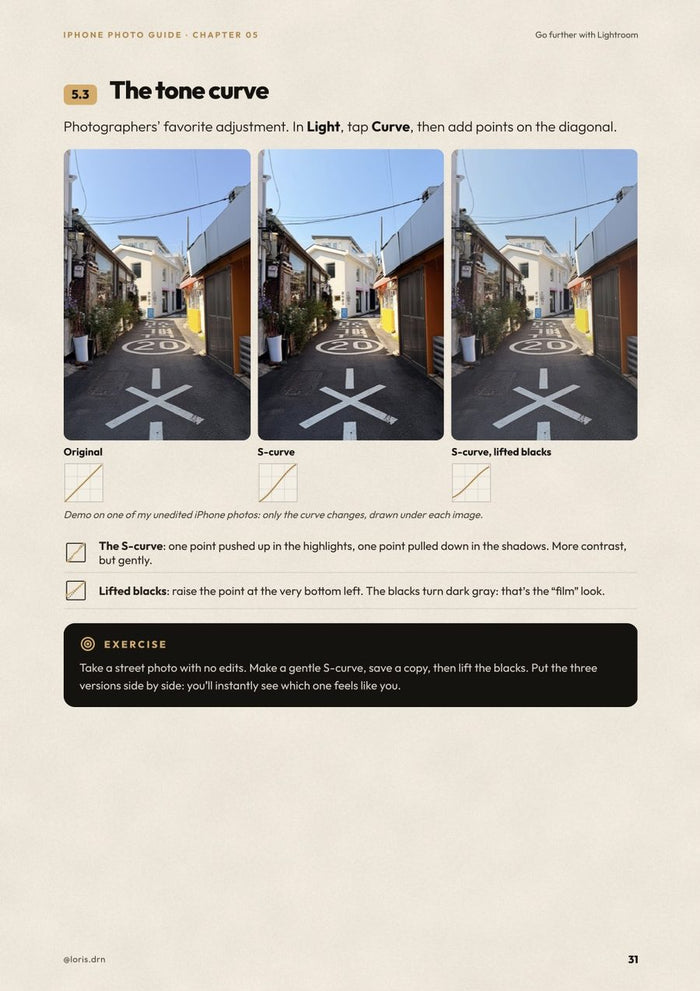
  • Go further with Lightroom mobile: presets, the tone curve, color mixing, color grading and effects, with before/afters.
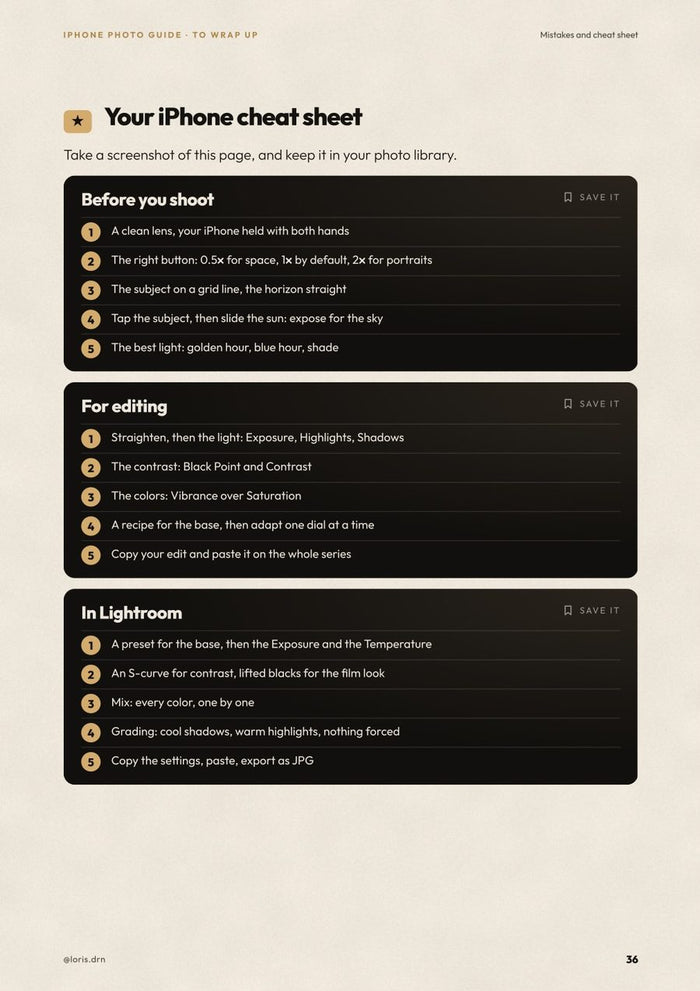
  • The 10 mistakes that ruin your photos, and a cheat sheet to keep in your camera roll.

With the guide, you get my Vintage preset for Lightroom mobile: the film look of my photos, in one tap. The Lightroom mobile app is free.

Anyone with an iPhone who wants better photos, with no extra gear. No photography knowledge needed: every idea comes with a diagram or a photo.

  • The guide as a PDF (38 pages), in English or French: pick your version just above.
  • My Vintage preset for Lightroom mobile, free.
  • Instant download after purchase, to read on your phone, tablet or computer.

Every photo in the guide was taken with an iPhone.

What you’ll learn.

Five chapters, from setting up your iPhone to editing in Lightroom. Every idea comes with a diagram or one of my photos.

01

Set up your iPhone

The settings to turn on once, the right lens, focus and the camera modes.

02

Compose your photos

Rule of thirds, leading lines, symmetry and shooting angles.

03

Play with light

Golden hour, blue hour, night, indoors and portraits.

04

Edit in the Photos app

The 15 adjustments, the right order and my 3 recipes.

05

Go further with Lightroom

Presets, curve, colors and grading, with before/afters.

Before / after, with my recipes.

Three iPhone photos edited in the Photos app. Slide to compare: the exact settings are in the guide, dial by dial.

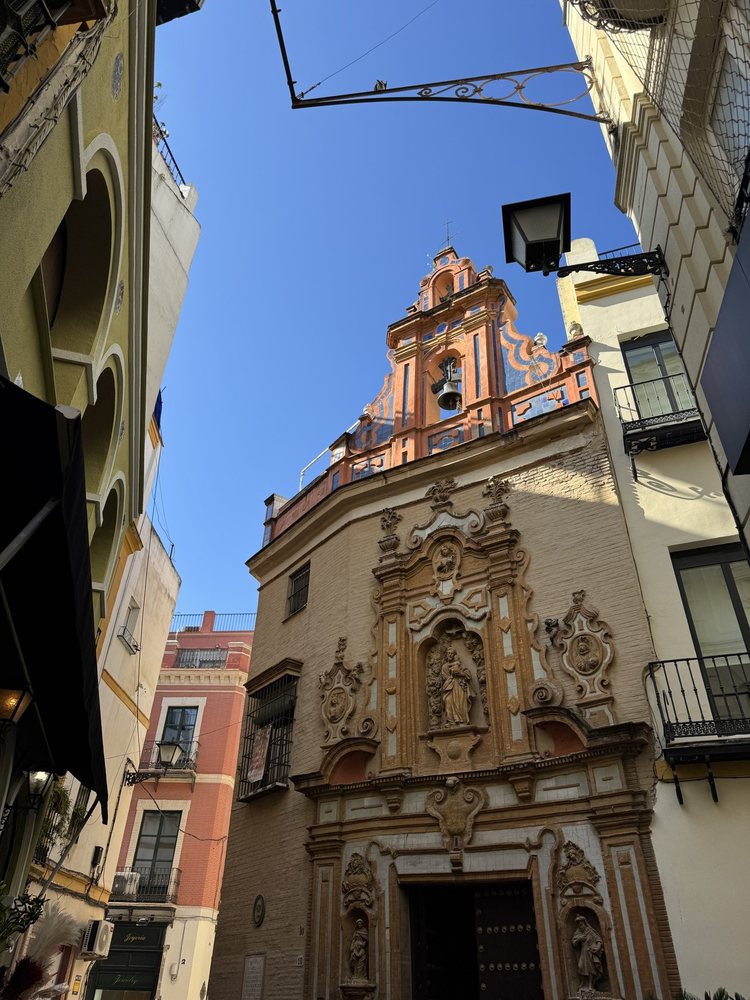
SévilleSévilleBeforeAfter

Harsh sun, Seville

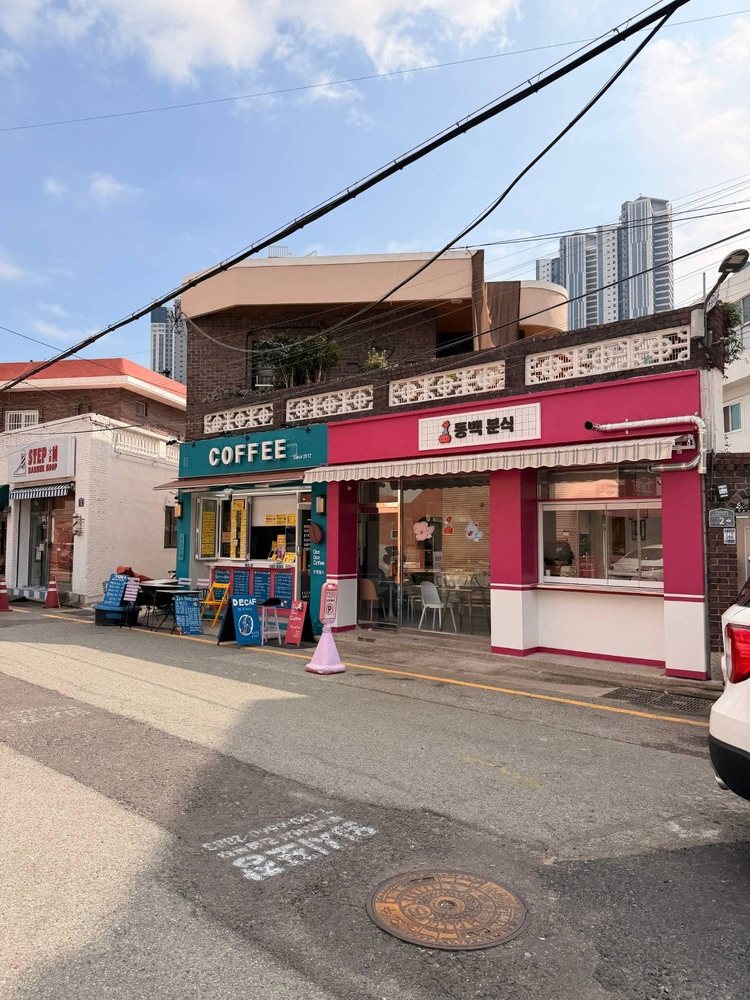
CaféCaféBeforeAfter

Sunny contrast

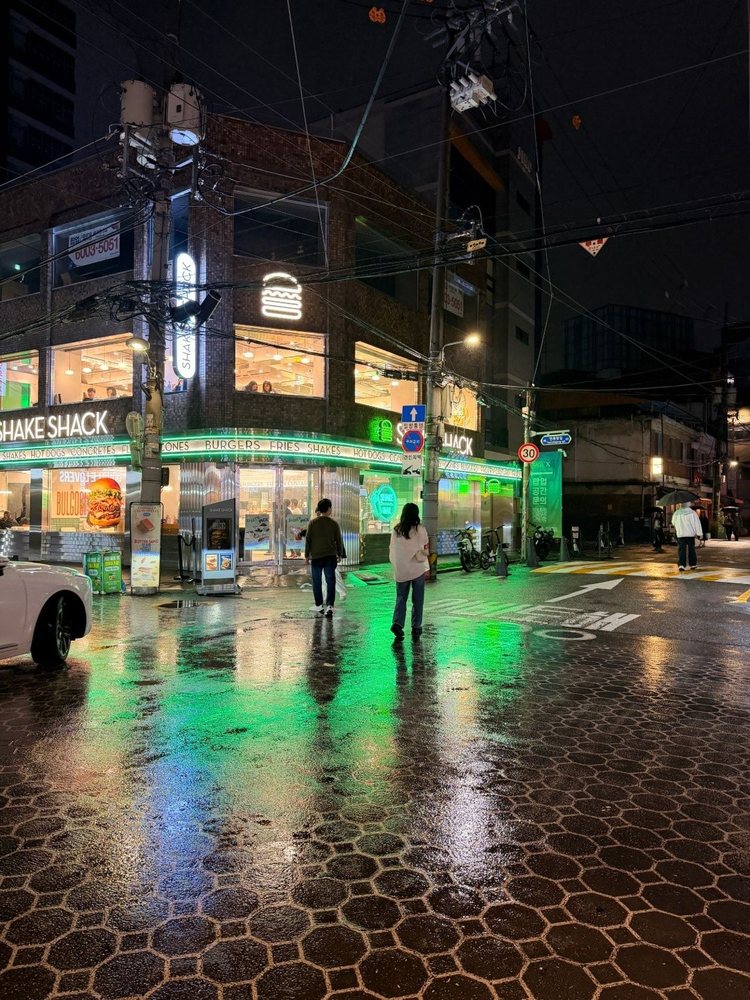
NightNightBeforeAfter

Night in the city

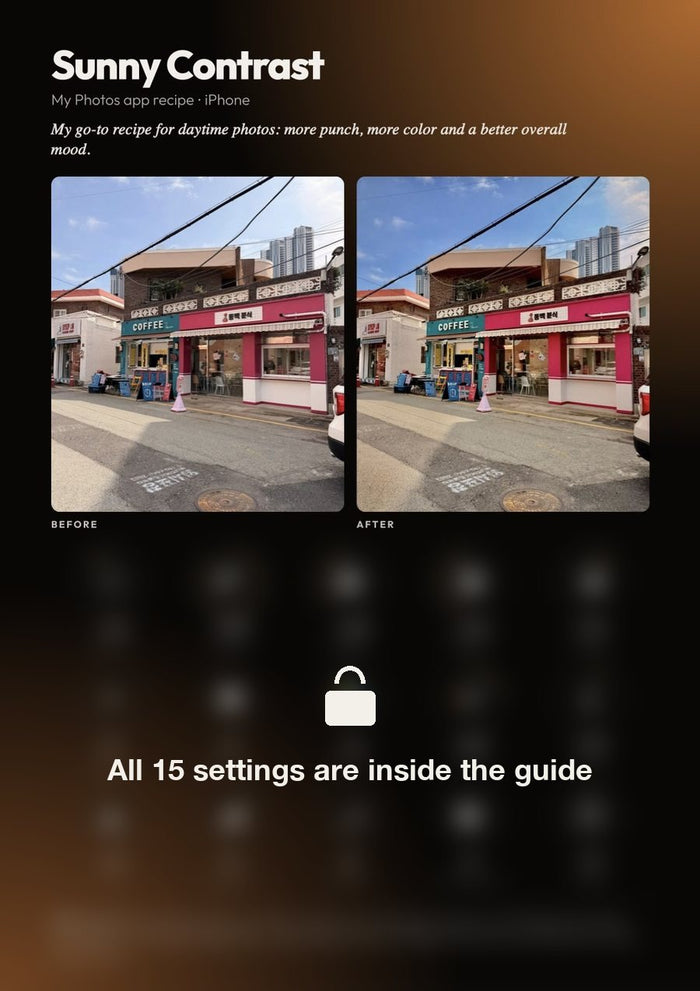
3 editing recipe cards, ready to copy.

For each recipe: the before/after of one of my photos and the 15 Photos dials, in your iPhone’s order.

3 editing recipe cards, ready to copy.3 editing recipe cards, ready to copy.3 editing recipe cards, ready to copy.

Flip through the guide.

38 airy pages, designed to read on your phone.

Flip through the guide.Flip through the guide.Flip through the guide.Flip through the guide.Flip through the guide.Flip through the guide.
LightroomLightroomBeforeAfter

Lightroom mobile, with proof.

The last chapter takes you further with the free version of Lightroom: presets, tone curve, color mixing, color grading and effects.

  • Install and create your presets
  • The S-curve and lifted blacks
  • Every color, one by one
  • What’s free, what’s Premium
Vintage

Bonus: my Vintage preset, free.

With the guide, you also get my Vintage preset for Lightroom mobile: the film look of my photos, in one tap.

What you get.

▤The guide as a PDF, 38 pages
⇄In English or French
✦My Vintage preset, free
↓Instant download

Vous pourriez également aimer ...